PlayStation Plus comes in three tiers, Essential, Extra and Premium, and after Sony’s May 2026 price rise the gap between the cheapest monthly plan and the most expensive one is $9 a month in the US. Choose the wrong tier and you either pay for benefits you never use or miss the game library that would have saved you money. This guide explains what each tier includes, what it costs now, and which one makes sense for different kinds of players.
PS Plus Tiers at a Glance
US prices below come from PlayStation.com as of November 2026. Prices differ by country, and we cover what changed in 2026 further down.
| Benefit | Essential | Extra | Premium |
|---|---|---|---|
| 1 month | $10.99 | $16.99 | $19.99 |
| 3 months | $27.99 | $43.99 | $54.99 |
| 12 months | $79.99 | $134.99 | $159.99 |
| Online multiplayer | Yes | Yes | Yes |
| Monthly games | Yes | Yes | Yes |
| Cloud storage for saves | Yes | Yes | Yes |
| Exclusive discounts and content | Yes | Yes | Yes |
| Share Play | Yes | Yes | Yes |
| Game Catalog (hundreds of PS5/PS4 games) | No | Yes | Yes |
| Ubisoft+ Classics | No | Yes | Yes |
| Classics Catalog (PS1, PS2, PSP, PS3) | No | No | Yes |
| Game Trials | No | No | Yes |
| Cloud streaming (PS5 and PS Portal) | No | No | Yes |
| Sony Pictures Catalog | No | No | Yes |
PlayStation Plus Essential: The Online Pass

Essential is the entry tier and the direct successor to the original PS Plus. For many players it is the only tier they need.
What you get
- Online multiplayer in paid games. Most free-to-play games, such as Fortnite, don’t need PS Plus for online play, but full-price games with online modes usually do.
- Monthly games – a set of games every month that you add to your library. You can play them whenever you like as long as your membership stays active. If it lapses, you lose access until you resubscribe.
- Cloud storage – up to 100GB for PS5 saved data and a separate 100GB for PS4 saves, with automatic syncing between consoles.
- Exclusive discounts in PlayStation Store sales, and occasional members-only in-game content packs.
- Share Play, which lets a friend watch or play your game remotely over a party.
Who it’s for
Essential suits players who mostly buy a few new releases each year and play online. If you spend most evenings in EA Sports FC, Call of Duty or another paid online game, Essential covers what you need. For FC players, our EA Sports FC 26 PS5 guide covers the game itself. The annual plan at $79.99 works out to about $6.67 a month, roughly 39% cheaper than paying monthly.
PlayStation Plus Extra: The Game Library
Extra includes everything in Essential and adds the Game Catalog: hundreds of downloadable PS5 and PS4 games you can play as long as you are subscribed. This is where PS Plus starts to save real money if you play a lot of different games.
What you get
- The Game Catalog – a rotating library of PS5 and PS4 games, including big PlayStation Studios titles and many third-party games. Games are downloaded and run locally, so they play exactly like copies you bought.
- Ubisoft+ Classics – a selection of Ubisoft games included at no extra cost. PlayStation.com values it at $7.99 a month on its own.
The catch: games come and go
The Game Catalog rotates. Sony announces new additions each month and also removes titles, usually with some warning. Catalog games are not yours to keep. If a game leaves the service, you lose access even if you have it installed, so finish anything with a leaving date first. Sony also says that from January 2026, PS4 games are added to the Game Catalog and monthly games only occasionally, so new additions will be mostly PS5 games.
Who it’s for
Extra is the best value tier for most players who like to try different games. If the catalog saves you from buying even two full-price games a year, the $55 annual upgrade from Essential has paid for itself. It is especially good for families and newer players building a library. If you are new to PS5, check the catalog against our best PS5 games for beginners list before buying anything, as a game you want may already be included.
PlayStation Plus Premium: Classics, Trials and Streaming

Premium includes everything in Extra and adds four extras. Whether they are worth the money depends on whether you will actually use them.
Classics Catalog
A library of older games from original PlayStation, PS2 and PSP, plus PS3 titles. Sony’s original launch details said PS1, PS2 and PSP classics can be downloaded or streamed, but PS3 games are available only through cloud streaming, because the PS5 can’t run PS3 games natively.
Game Trials
Time-limited trials of selected full games, so you can try before you buy. Lengths vary by game. Most have been a couple of hours, though some have been longer.
Cloud streaming
Premium lets you stream selected games instead of downloading them, on a PS5 console or on the PlayStation Portal. Cloud streaming on the Portal came out of beta in November 2025. You can stream selected Game Catalog and Classics Catalog games, selected digital PS5 games you own, and some free-to-play games. Sony’s recommended connection speeds are:
- 720p: 13Mbps
- 1080p: 23Mbps
- 1440p: 38Mbps
- 4K (2160p): 52Mbps
You need at least 5Mbps upload and download to start a session at all. Sony says PS5 cloud streaming isn’t available in overseas territories, and availability varies by region.
Sony Pictures Catalog
Up to 100 films to watch on demand at no extra cost, in supported regions.
Who it’s for
Premium makes sense for three groups. First, PlayStation Portal owners who want to play without the PS5 switched on. Second, retro fans who want PS1, PS2 and PS3 games on modern hardware. Third, players who like to sample new games before paying full price. If none of those describes you, Extra gives you most of the value for $25 less per year.
What about Deluxe?
In some markets where Sony doesn’t offer cloud streaming, such as parts of Asia and Latin America, the top tier is called Deluxe instead of Premium. Sony’s launch announcement described it as priced below Premium and including the downloadable Classics Catalog and Game Trials, but without cloud streaming. If you see Deluxe in your store, that’s why.
What Changed in 2026
Sony raised PS Plus prices on 20 May 2026 for new subscribers in select regions, citing market conditions. Essential was announced first, but Extra and Premium went up as well:
| Plan (US) | Before May 2026 | From May 2026 |
|---|---|---|
| Essential – 1 month | $9.99 | $10.99 |
| Essential – 3 months | $24.99 | $27.99 |
| Extra – 1 month | $14.99 | $16.99 |
| Premium – 1 month | $17.99 | $19.99 |
| 12-month plans (Essential / Extra / Premium) | $79.99 / $134.99 / $159.99 | Unchanged |
Existing members were largely unaffected, but the new prices apply if you change your plan or let your membership lapse and rejoin. The practical lesson is that the 12-month plan, which didn’t change, is now an even better deal than paying monthly. In the US, 12 months of Premium at the monthly rate costs $239.88, against $159.99 for the annual plan.
How to Upgrade or Downgrade Your Tier
On PS5, go to Settings > Users and Accounts > Account > Payment and Subscriptions > Subscriptions, select PlayStation Plus, then choose Change Plan. You can also do it in a web browser through your PlayStation account management page.
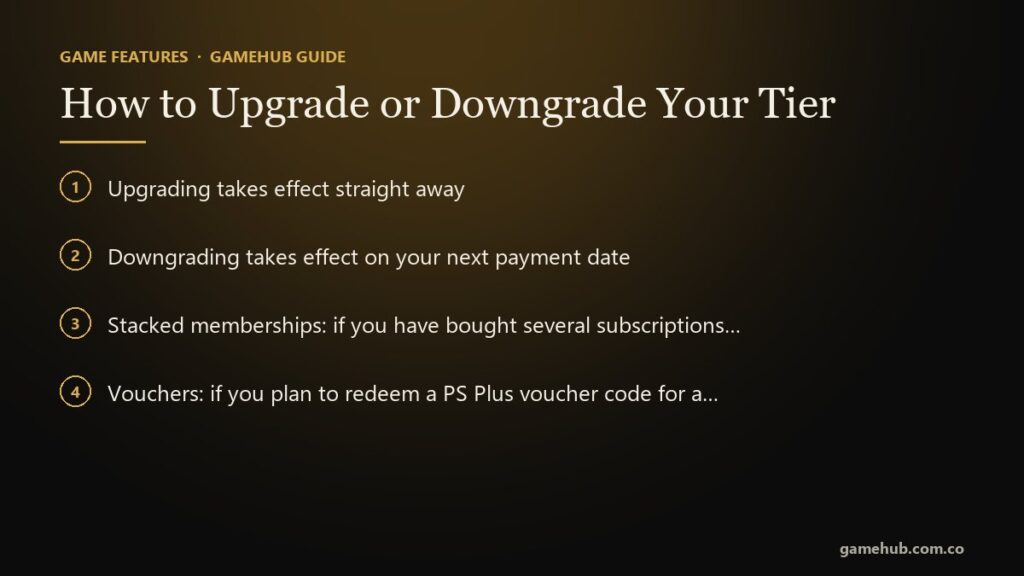
- Upgrading takes effect straight away. You pay a pro-rated fee to bring the remaining time on your current plan up to the higher tier. For example, if you upgrade from a yearly Essential plan to yearly Premium with six months left, you pay half the $80 price difference, which is $40.
- Downgrading takes effect on your next payment date. You keep your current tier’s benefits until then.
- Stacked memberships: if you have bought several subscriptions back to back, upgrading converts all of that remaining time at once, so the fee can be larger than you expect.
- Vouchers: if you plan to redeem a PS Plus voucher code for a different tier, change your plan first, because a voucher adds time to whichever plan you currently have.
A cheap trick: buy Essential for 12 months during a sale and upgrade to Extra or Premium for a month or two when you have time to play through the catalog. The pro-rated fee only covers the remaining time, though, so do the maths before upgrading a long stacked membership.
Frequently Asked Questions
Do I need PS Plus to play online on PS5?
For most paid games, yes. Essential, the cheapest tier, is enough. Most free-to-play games such as Fortnite and Apex Legends don’t need a membership for online play, but check each game’s store page to be sure.
Do I keep PS Plus games if I cancel?
Not while you are unsubscribed. Monthly games you added to your library stay there, but you can only play them with an active membership. Game Catalog games from Extra and Premium are a rental. You lose access when your membership ends or when a game leaves the catalog.
Is PS Plus Extra worth it over Essential?
If you play more than a handful of games a year, usually yes. The annual difference in the US is $55, about the price of one new game, and the catalog includes hundreds of games. If you mainly play one or two online games, stick with Essential.
Is Premium worth it without a PlayStation Portal?
Only if you value the Classics Catalog or Game Trials. Cloud streaming on a PS5 is useful for trying a game without waiting for a download, but most people with a PS5 will just download games. For Portal owners, Premium’s cloud streaming is a much bigger benefit because it lets the handheld play without a PS5.
How much cloud storage do I get?
All tiers include cloud saves: up to 100GB for PS5 saved data and a separate 100GB for PS4 saves (with a limit of 1,000 PS4 save files). Turn on Auto-Sync under Settings > Saved Data and Game/App Settings > Saved Data (PS5) > Sync Saved Data.
Can I switch tiers at any time?
Yes. Upgrades apply immediately with a pro-rated charge, and downgrades take effect at your next renewal date. Remember that rejoining after a lapse, or changing plans, means paying the current 2026 prices.
Final Verdict
Pick Essential if you mainly want online multiplayer and cloud saves. It is the cheapest way to play paid games online, especially on the $79.99 annual plan. Pick Extra if you enjoy trying different games. For most PS5 owners it is the best value tier, because the catalog can easily replace a few game purchases a year. Pick Premium only if you own a PlayStation Portal, love retro PlayStation games or regularly use game trials. Whichever tier you choose, the annual plan saves roughly a third or more compared with paying monthly at 2026 prices, and you can always upgrade later.
Sources & References
- PlayStation.com – PlayStation Plus – current US prices, tier comparison and the January 2026 note on PS4 games.
- PlayStation.com – Cloud Streaming on PlayStation – supported devices, eligible games and recommended speeds.
- PlayStation Support – Change your PlayStation Plus plan – upgrade and downgrade rules, menu path and stacked subscriptions.
- PlayStation Support – PS Plus cloud storage for PS5 – 100GB storage limits and Auto-Sync.
- PlayStation Blog – All-new PlayStation Plus – the original tier structure, PS3 streaming and the Deluxe tier.
- Push Square – PS Plus price increase announced for new members – the May 2026 price change.
- Push Square – PS Plus price increases also hit Extra and Premium – new Extra and Premium prices.
- Wccftech – Cloud streaming on PS Portal out of beta – the November 2025 Portal cloud streaming launch.
- PlayStation.com – PlayStation Plus games – monthly games stay playable while your membership is active.
PlayStation Plus prices, games and features vary by region and change regularly, so check the PlayStation Store or PlayStation.com for your country before subscribing. PlayStation, PS5 and PlayStation Plus are trademarks of Sony Interactive Entertainment. GameHub is not affiliated with or endorsed by Sony.